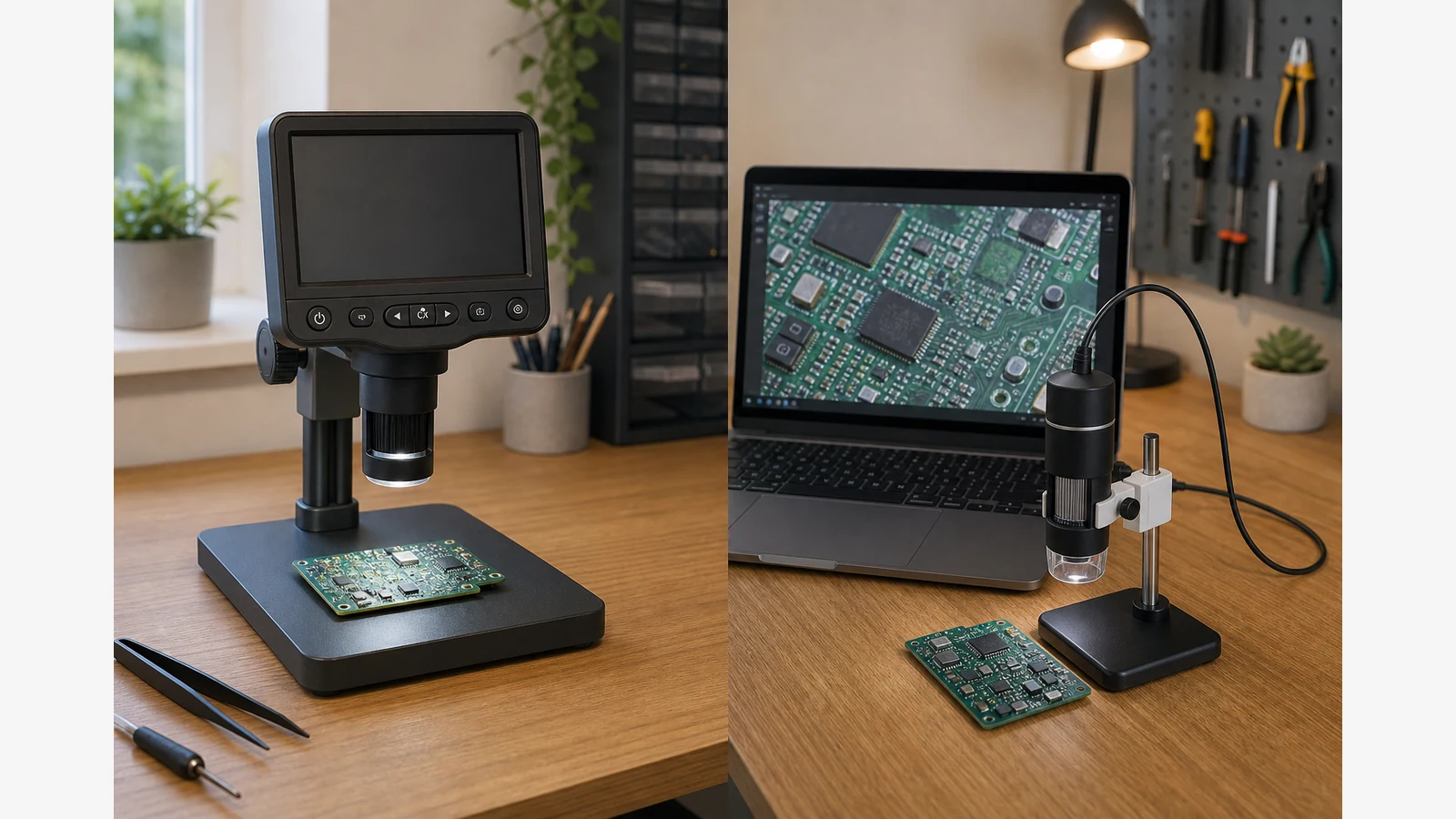
Lcd Microscope Vs Usb Microscope Uk
Choose a standalone LCD or HDMI-style digital microscope when you do live hand work under the lens; choose a PC-USB scope when the job is mostly capture and desktop review. On small UK home benches that lack a spare monitor at the soldering station, the self-contained screen usually reduces setup friction.
How the two workflows differ
Educational guides distinguish PC-dependent USB stick cameras from standalone screen digital units and flag lag risk when you try to solder against a delayed image. HDMI or other more direct monitor paths are often framed for real-time repair feedback, while USB shines for analysis and documentation once files are on the PC. Technical soldering guides likewise note that USB can add computer-dependent latency compared with a more direct monitor path for active soldering.
| Factor | Standalone LCD / HDMI-style | PC USB |
|---|---|---|
| Latency risk | Usually lower perceived lag for hand work | Depends on PC, drivers and software |
| Setup friction | Boot the unit; no spare PC required at the iron | Needs a working laptop/desktop at the station |
| Shared viewing | Built-in or attached screen for demos | Easy on a large monitor once connected |
| File workflow | Often SD or direct export, then transfer | Native desktop folders and measurement apps |
| Desk footprint | Screen + stand occupy the bench | Camera is small; PC still needs space |
Who should not buy LCD-first
If you already run calibrated PC measurement software and mostly inspect—not solder—USB into that stack can be the better fit. LCD-first is the wrong default when your value is in desktop metrology, not moving an iron under the lens every day.
Decision path for soldering benches
- If you move an iron under the lens daily, test perceived lag on any USB-only candidate before trusting it for live work.
- If documentation and PC review dominate, USB or a hybrid capture path may be enough.
- Confirm stand clearance and lighting next—see SMD working distance and PCB glare reduction.
For how screen versus eyepiece stereo fits the same decision, read digital versus stereo for electronics repair. Connection basics for PC and Mac workflows are covered in the existing how to connect a digital microscope to PC or Mac guide. A same-site standalone digital option is described on the Tomlov Lab Pro 7-inch digital microscope detail page.